Skip to content

Run your treadmill
from your pocket.

TreadPilot connects to FitShow-protocol treadmills over Bluetooth and takes the wheel: live numbers, interval programs that drive the belt for you, Apple Watch heart rate, and every run saved to Apple Health.

  • Open source · GPL-3.0
  • No account
  • No tracking
  • iOS 17+ · watchOS 10+
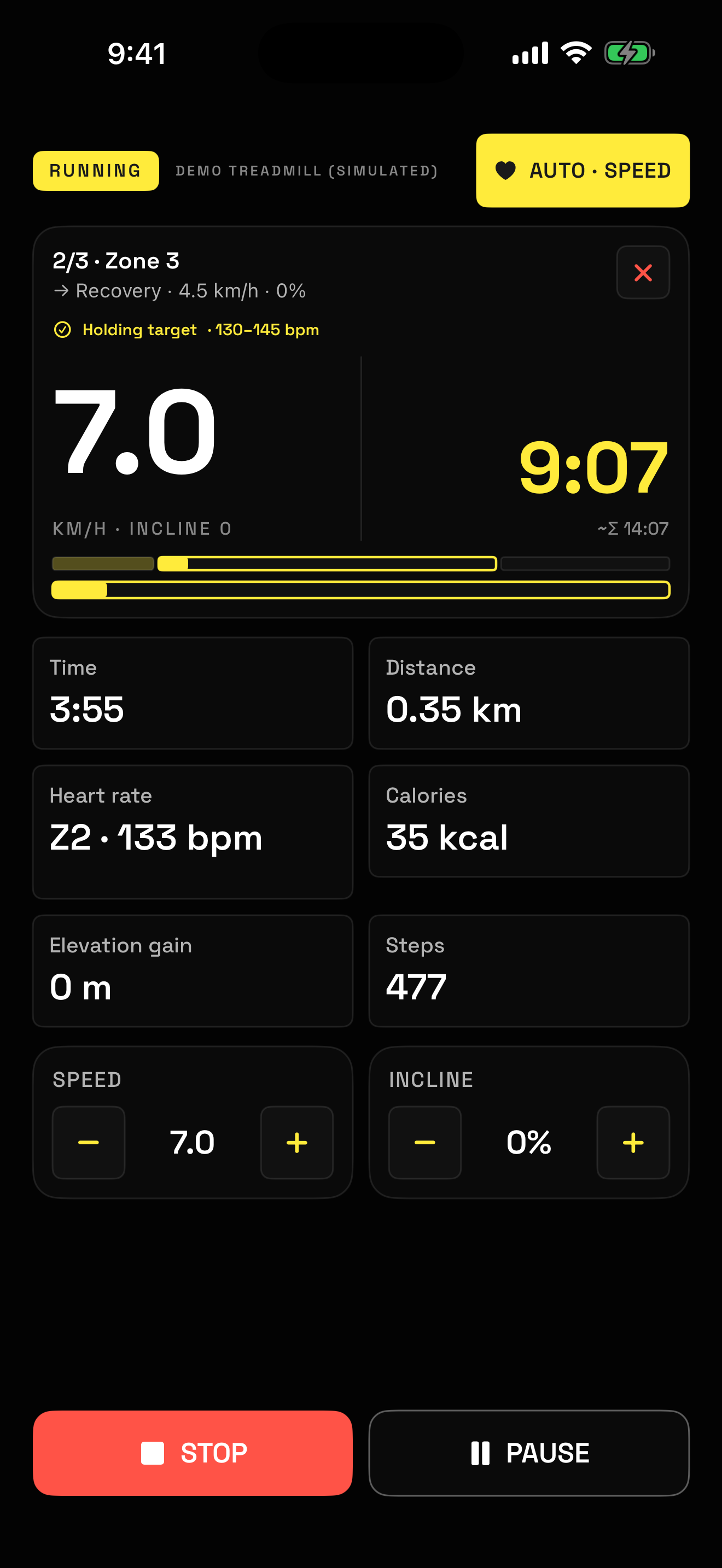
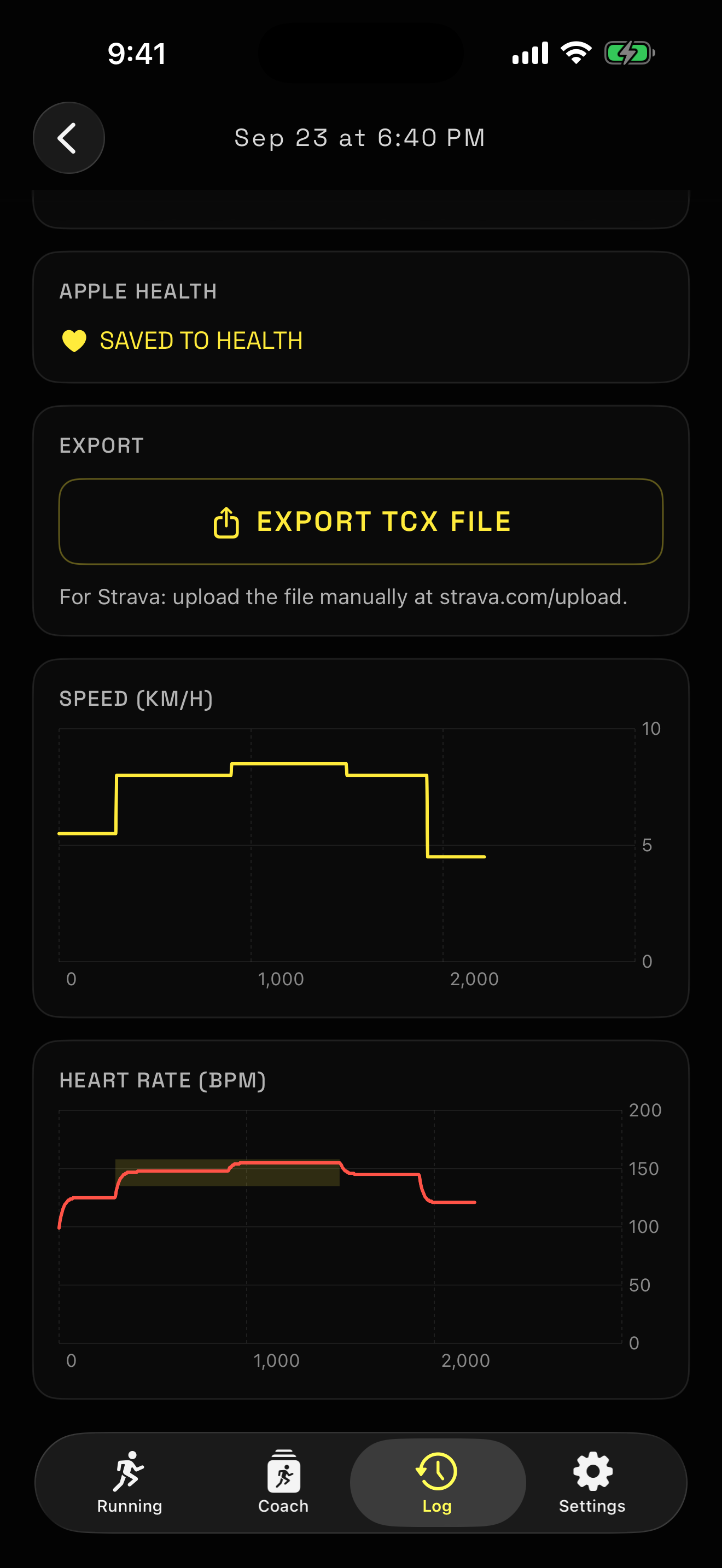
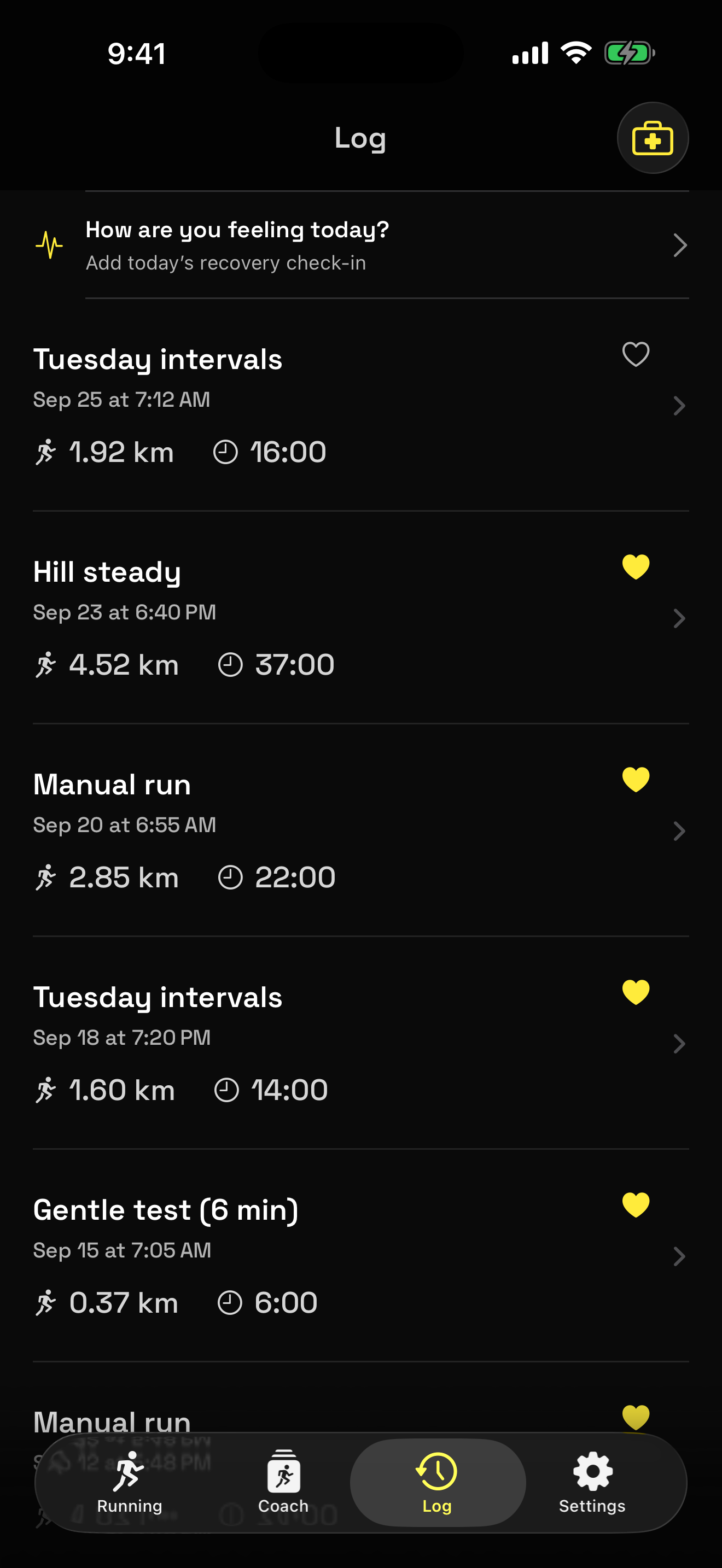
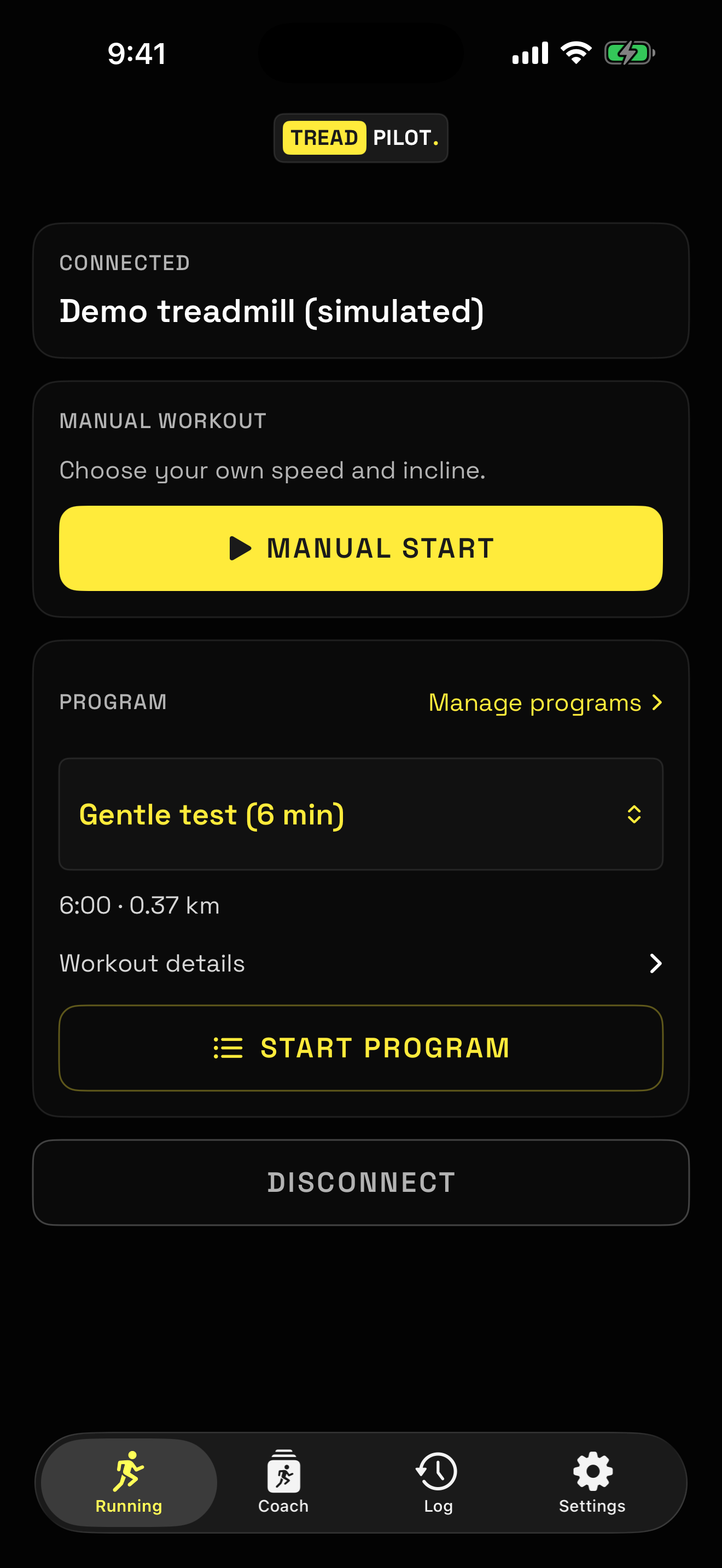
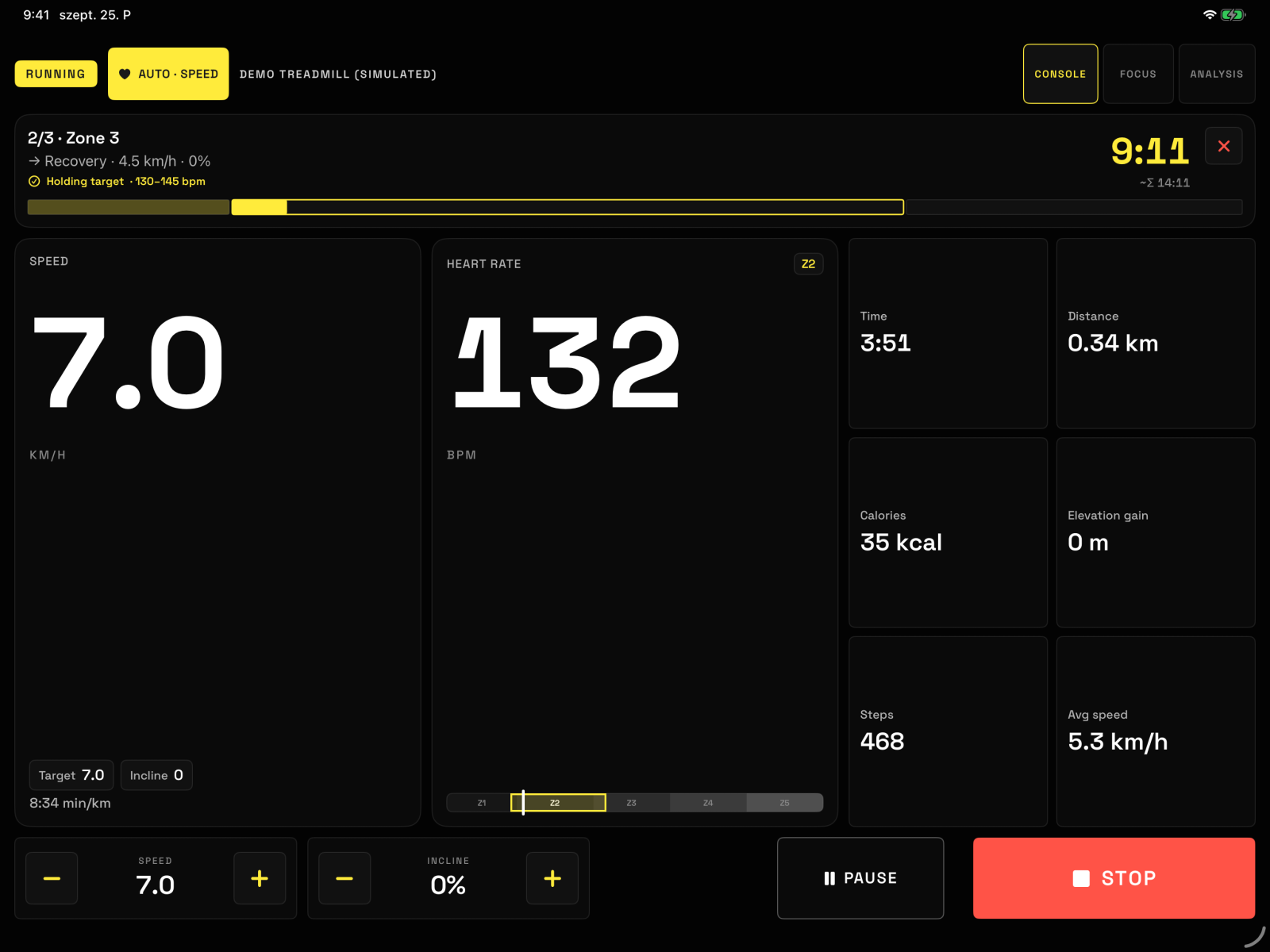
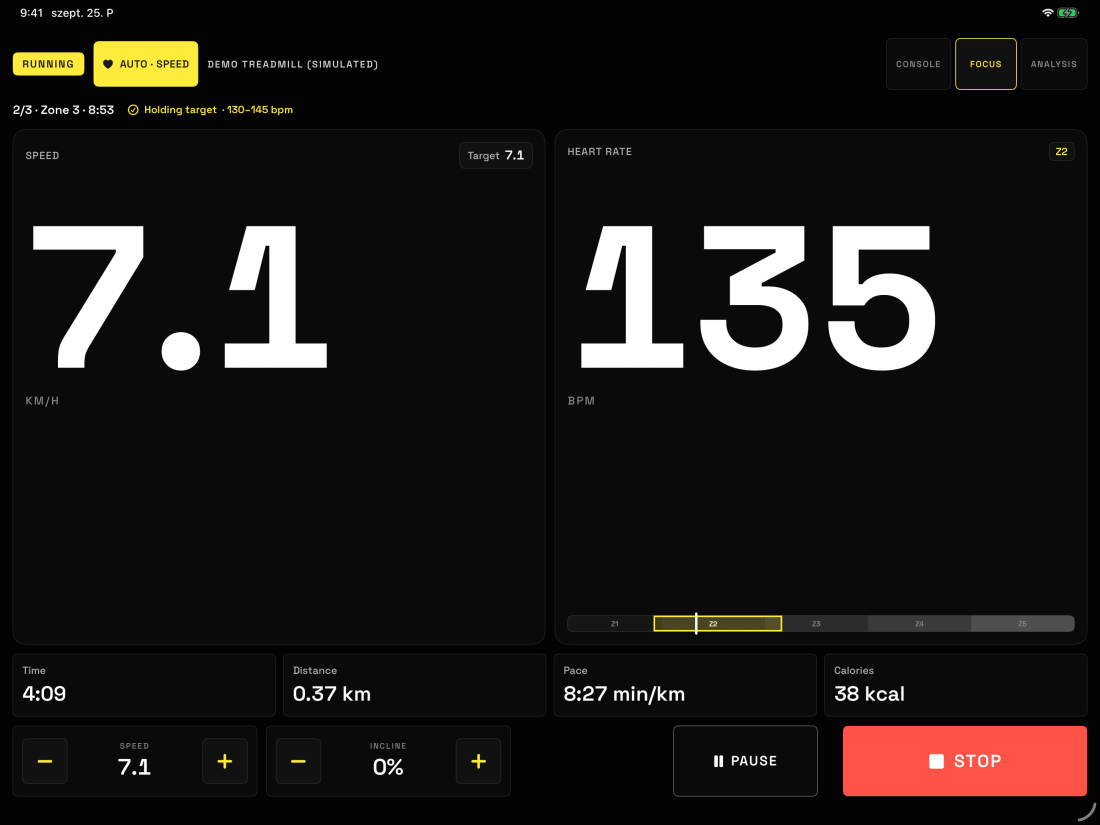
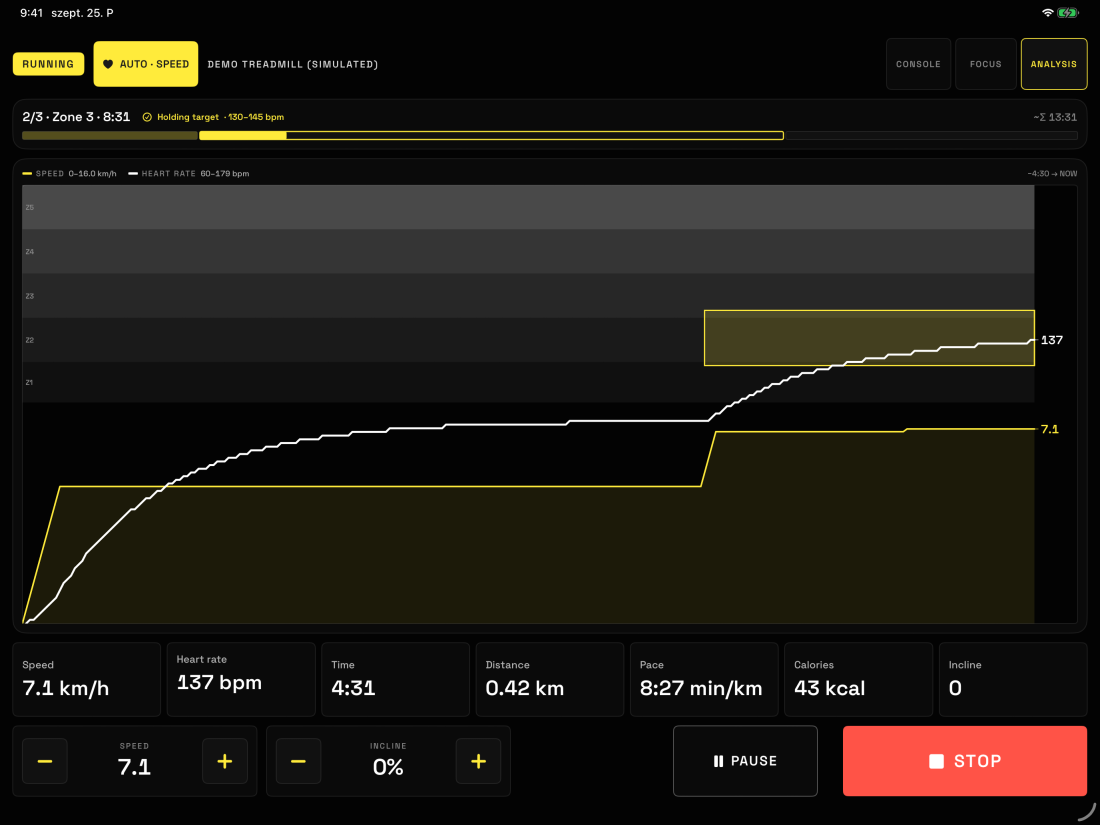
TreadPilot running an interval program Workout detail with speed and heart-rate charts Workout history Home screen with manual and program start
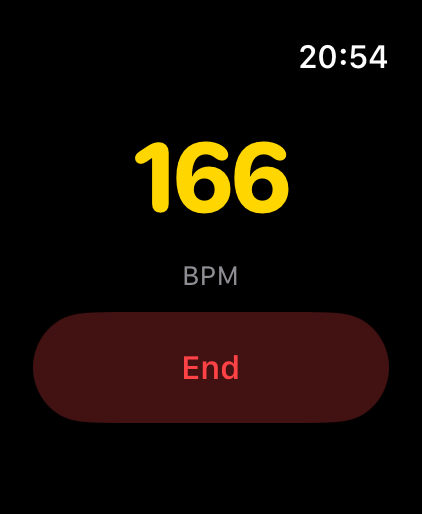
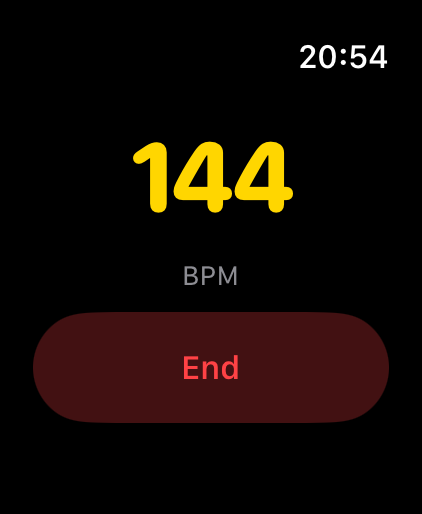
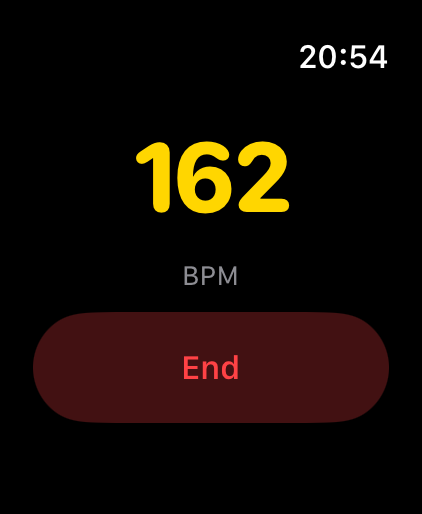
Apple Watch showing live heart rate Apple Watch showing live heart rate Apple Watch showing live heart rate

Four taps from
standing to running.

No account, no cloud, no subscription. Just your phone and the machine in front of you.

01

Connect

The app finds your treadmill over Bluetooth and pairs in seconds.

02

Run

Speed, incline, distance, calories, steps and elevation, live every second.

03

Program

Intervals that drive the belt for you — warm up, push, recover, cool down.

The numbers your console forgets.

Elevation gain from speed and incline. Heart rate straight off your Apple Watch. Calories from your real body data, not a generic guess. Every session charted and kept — and written into Apple Health where the rest of your training lives.

  • TelemetrySpeed, incline, distance, calories, steps, heart rate
  • ProgramsBuilt-in and custom, with a full segment editor
  • WatchLive heart rate from your Apple Watch
  • HealthWorkouts, distance, energy and heart rate
  • Works withFitShow treadmills — Tunturi T40 verified on hardware
  • No treadmill?Demo mode simulates one so you can try everything
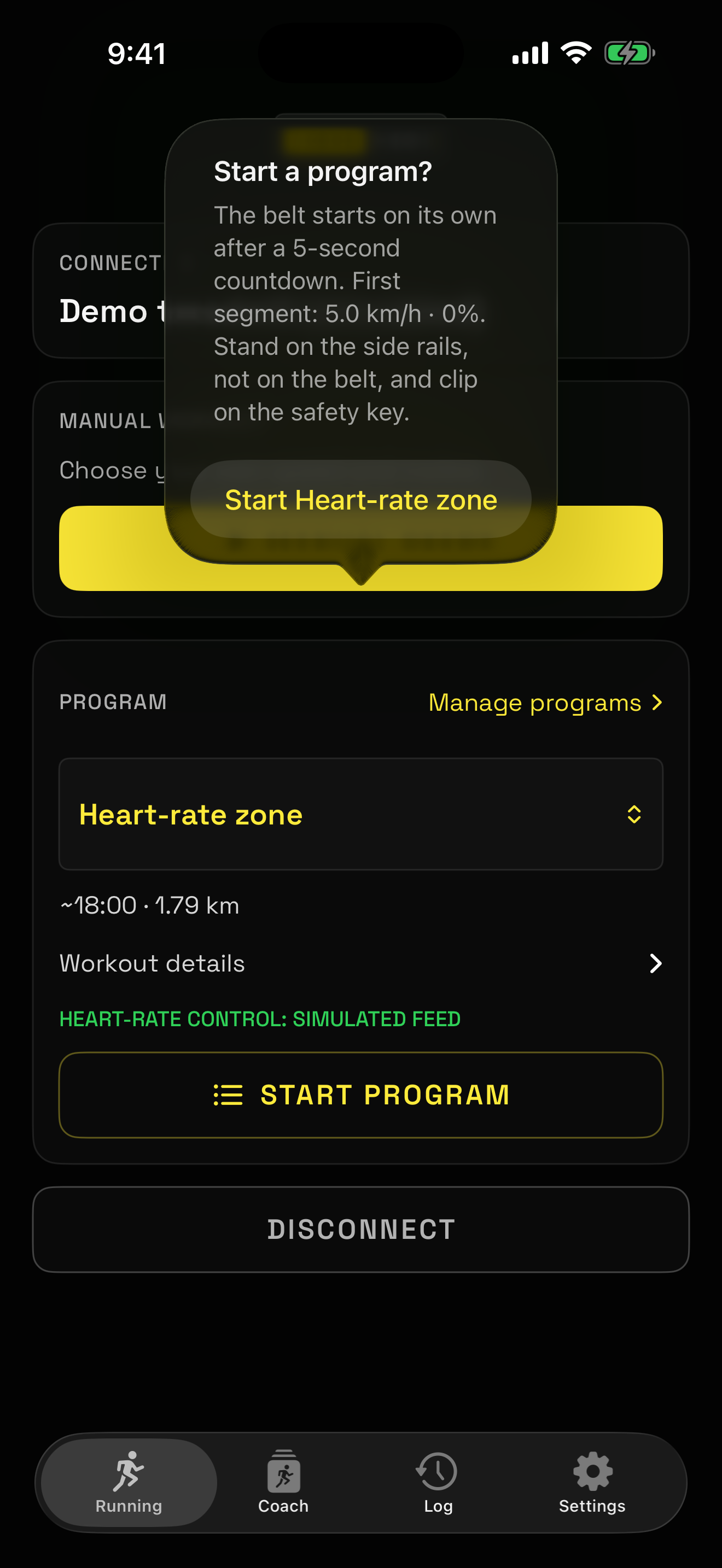
Start confirmation showing the safety instruction

Read this before your first run

TreadPilot starts and drives a real treadmill belt. It never starts without your explicit confirmation, and programmed starts always run a countdown you can cancel. Stand on the side rails, not on the belt, and clip on the safety key. If the Bluetooth link drops, the belt may keep running at the last set speed — your treadmill's own stop button and safety key remain your primary protection.

The guide

From unboxing your phone
to your first interval.

Six screens is the whole app. Here is every one of them, in the order you will meet them.

Connect and choose
1

Connect and choose

Switch the console on and open TreadPilot — it finds your treadmill over Bluetooth and pairs in seconds. Then one question: drive the belt yourself, or let a program do it?

No treadmill yet? Demo mode runs the whole app on a simulated belt.

Run
2

Run

Everything on one screen: the current segment counting down at the top, your speed in the middle, and the six numbers that matter underneath. Stop and pause stay within thumb reach.

Wearing an Apple Watch? Your heart rate appears here on its own.

Keep your programs
3

Keep your programs

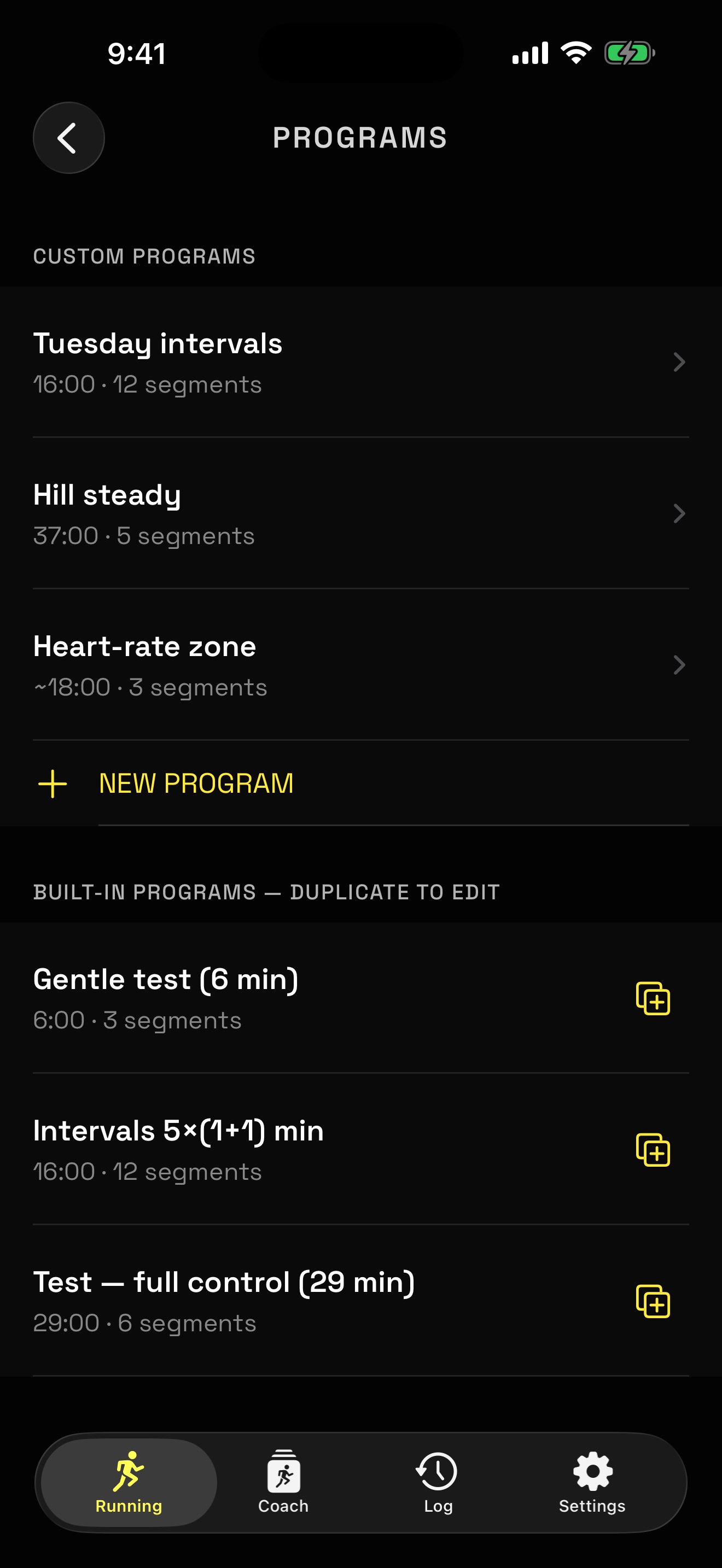
Built-in programs to start from, and your own below them. Duplicate any built-in to make it yours — the originals stay untouched.

Build your own
4

Build your own

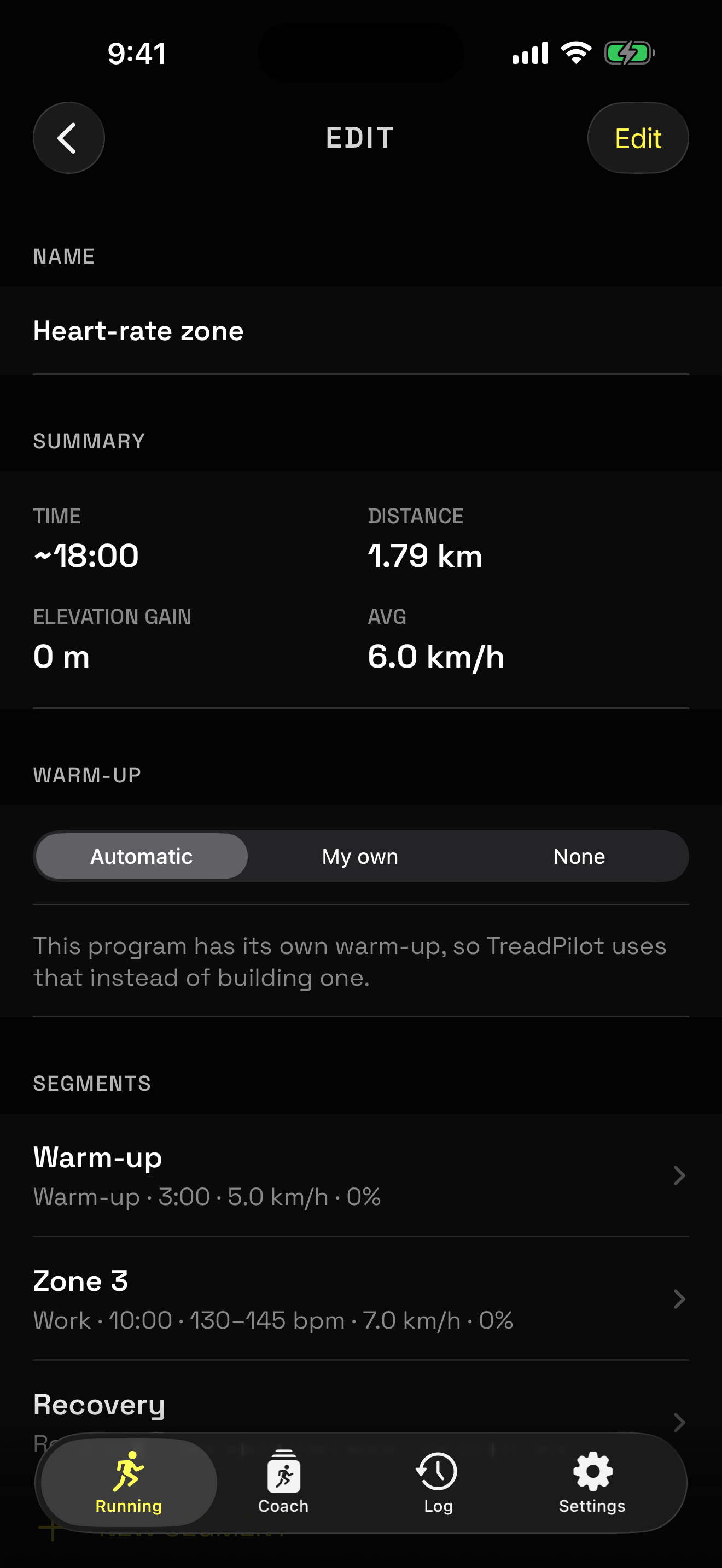
Add segments, set a target speed and incline for each, and the summary recalculates as you type — total time, distance, elevation gain and average speed, before you ever step on.

Save it to Health
5

Save it to Health

When the belt stops you get a summary, and the workout goes into Apple Health with distance, energy, heart rate and elevation. Automatically, or with one tap.

Missed a sync? Open the workout later and save it from here.

Look back
6

Look back

Every session stays on your phone with speed and heart-rate charts. A filled heart means it is already in Apple Health; an outline means one tap will put it there.

Nothing is uploaded anywhere. Your history lives on your device.

Open source,
all the way down.

GPL-3.0 licensed. No telemetry, no dependencies, no dark corners. The Bluetooth protocol is documented in the source byte by byte — so nobody has to reverse-engineer this console again.

# Build it yourself
git clone https://github.com/backloghu/treadpilot
brew install xcodegen
xcodegen generate

# FitShow frame layout
0x02 │ CMD │ DATA… │ XOR-FCS │ 0x03

# Target 9.0 km/h @ 2% incline
02 53 02 5A 02 0B 03